Infoholder Studio
SolutionsTemplatesBlogPricingExplore Circle
Sign inStart freeStart building free

Build your business. Let AI help it grow.

Turn an idea—or an existing business—into a working app. Let AI help you welcome customers, handle everyday work, and keep improving.

Idea
Help search and AI understand my coffee shop: the menu, address and opening hours, all spelled out.
Use a poster or menu Explore businesses

Help customers and AI understand my coffee shop: menu, address and hours.

Live

See what it can become

Every template is ready to welcome customers, and readable by search and AI, before you change a thing.

Browse all templates

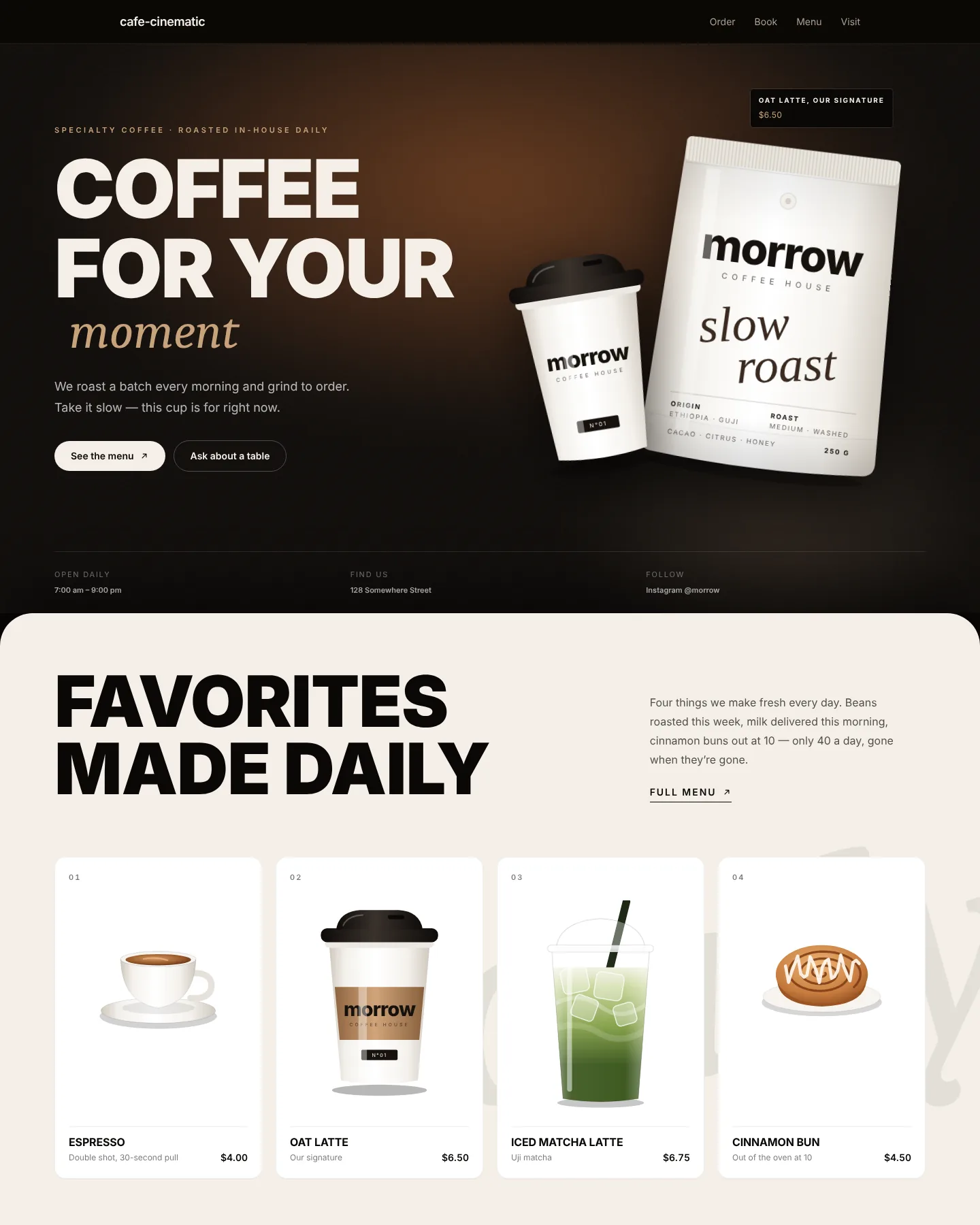
A café that takes orders from day one

Café — order ahead & book a table

Guests order ahead for pickup, book a table and join as members right on the homepage; once your shop is connected, the menu and prices are the real ones.

  • Real menu & locations
  • Online reservations
  • Verified customer sign-in
See this template
Screenshot of the Café — order ahead & book a table home page
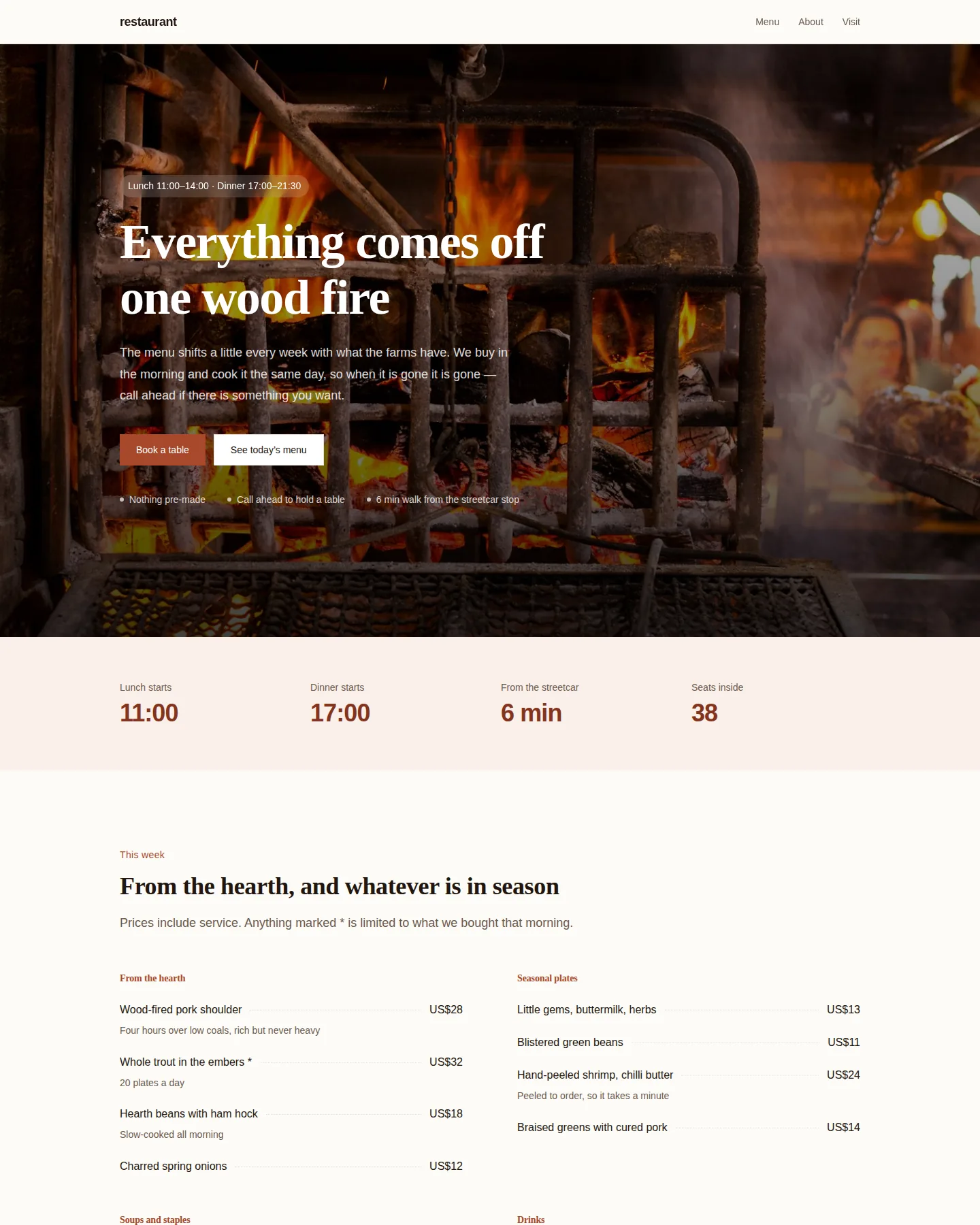
Screenshot of the Restaurant home page

Restaurant

Menu with prices, opening hours and a table-booking form. Works on a phone: see the menu, find the address, call.

  • Real menu & locations
  • Online reservations
  • Verified customer sign-in
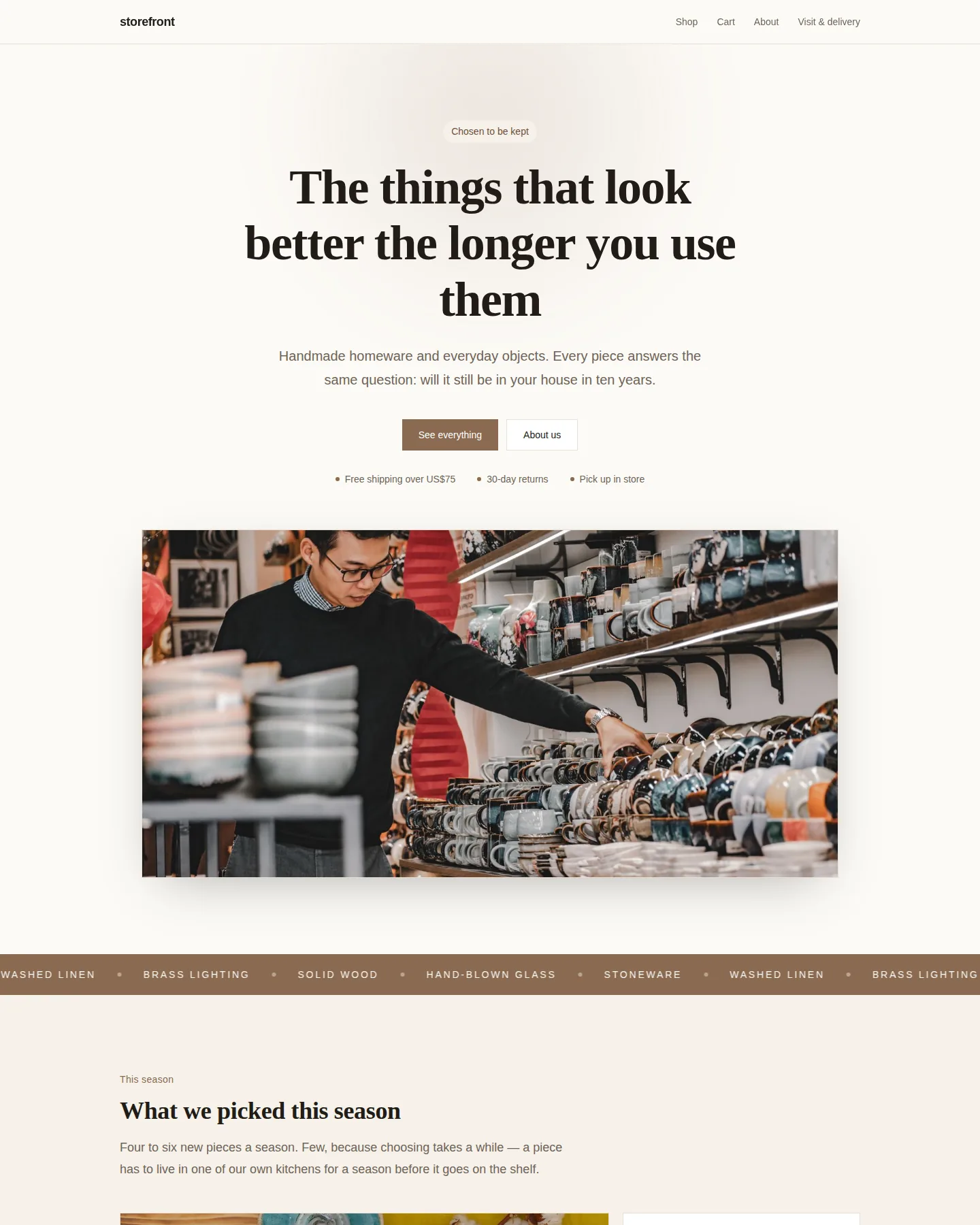
Screenshot of the Independent shop home page

Independent shop

Warm editorial: a full-width photographic hero, a bento product wall and visiting details. For shops with few products and a long story.

  • Real products
  • Shopping cart
  • Online checkout · Needs payment setup
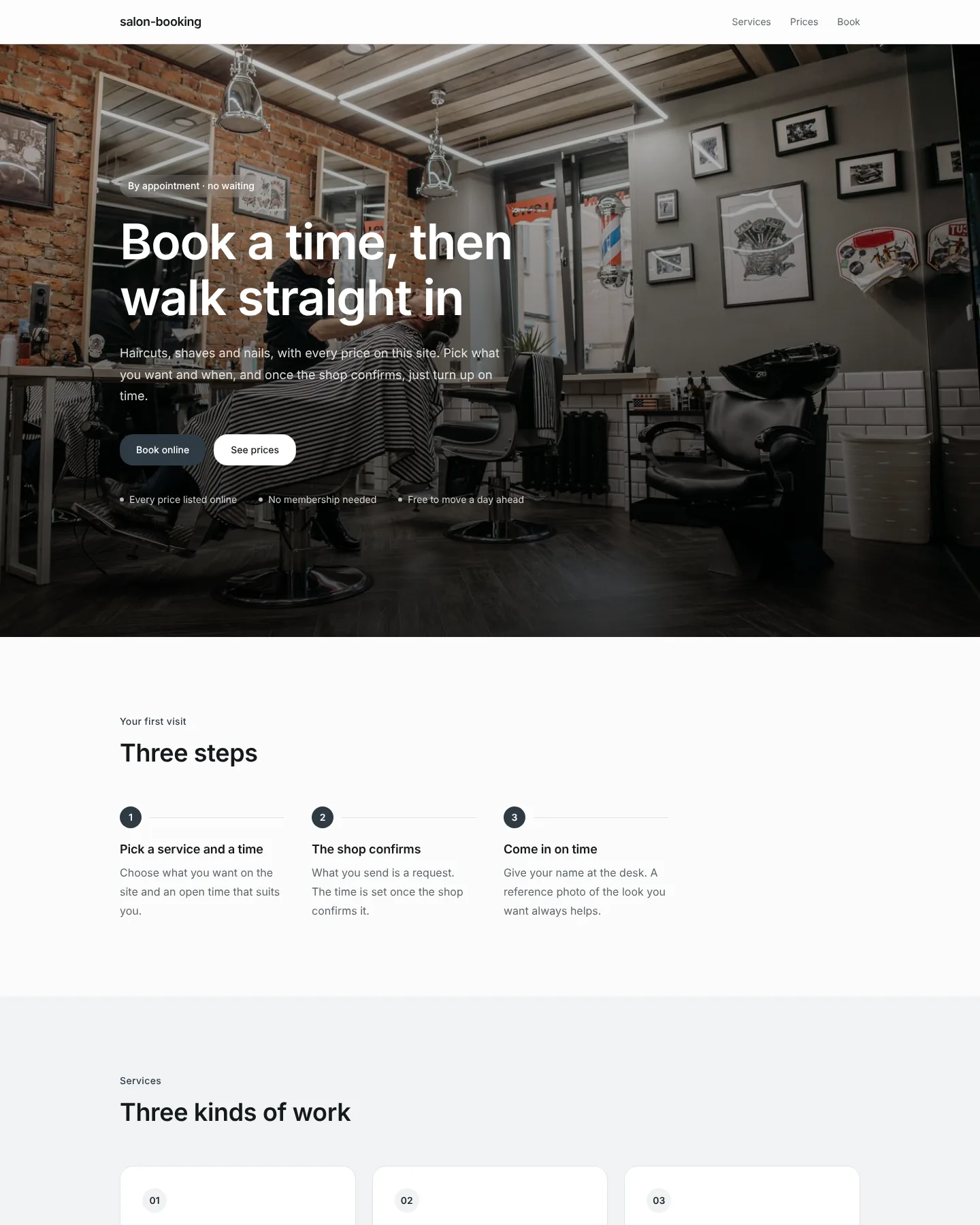
Screenshot of the Barber, hair and nail salon home page

Barber, hair and nail salon

Barbers, hair, nails and beauty. Services, listed prices and online booking, so clients book a time before they come in.

  • Customers can look up, reschedule or cancel their booking
  • Booking requests (confirmed by the business)
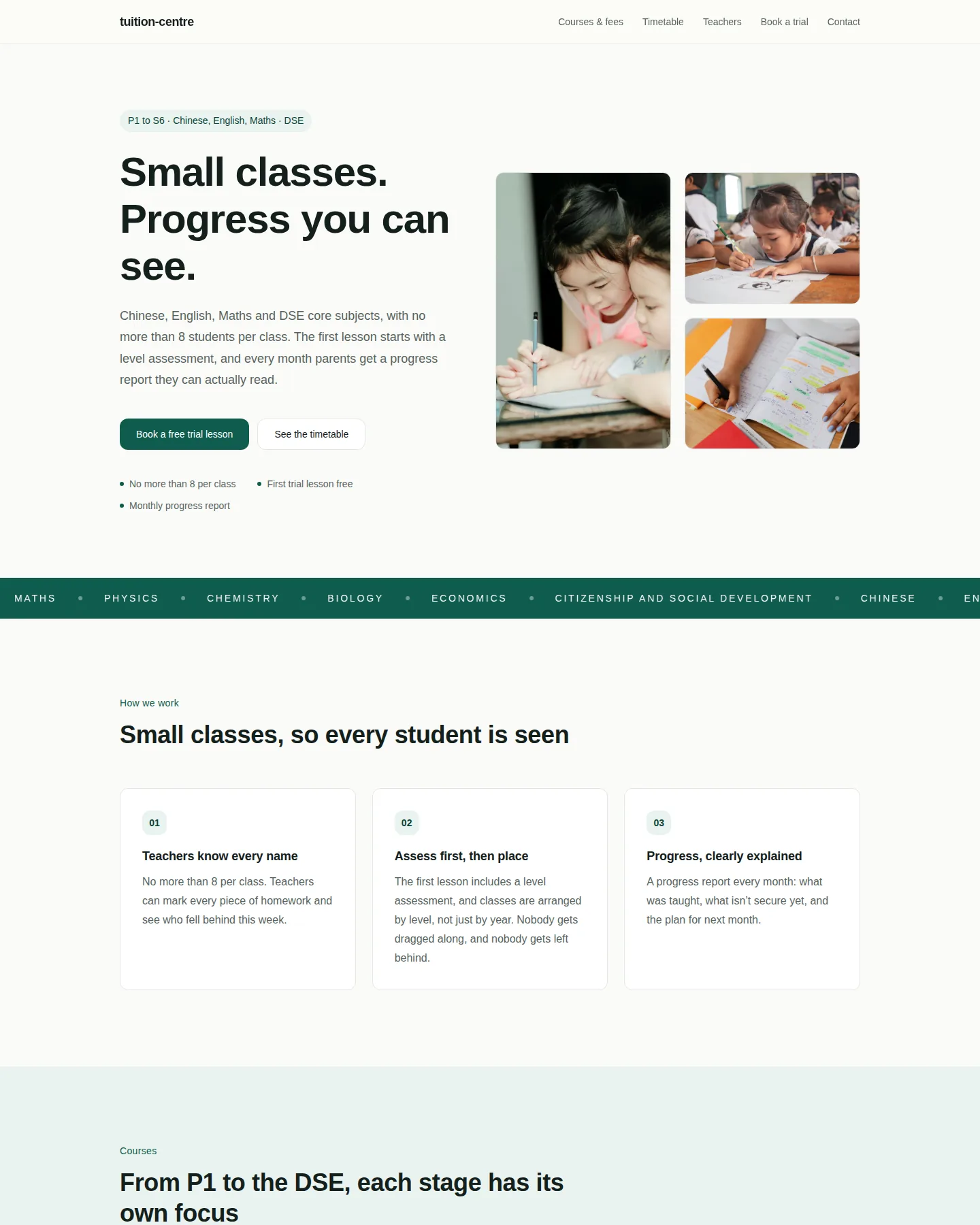
Screenshot of the Tuition centre (small classes · DSE) home page

Tuition centre (small classes · DSE)

Small-group tuition from P1 to S6: a weekly timetable parents can filter by level, monthly fees up front, and every button leads to a free trial-lesson booking. Deep green with a highlighter-yellow accent and plenty of white space.

  • Customers can look up, reschedule or cancel their booking
  • Booking requests (confirmed by the business)

Start from your business

Pick the solution that fits your business, and start from something customers can already act on.

  • Restaurants and cafés
  • Bookings and appointments
  • Shops and online stores
  • Events and sign-ups
  • Professional services
  • International patient services
  • Tourism park leasing

Built with Infoholder Studio

Real businesses and tools, published by their owners and live right now. Each one chose to appear here.

  • Screenshot of Cafe Issus

    Business presence

    Cafe Issus

    A fully licensed café with a Middle Eastern focus in its food, on Centre Place.

    Take a look
  • Screenshot of Pawparazzi pet grooming salon

    Other

    Pawparazzi pet grooming salon

    Dog and cat grooming, bath and dry, grooming add-ons, and dog daycare in Upper Paya Lebar, Singapore.

    Take a look
  • Screenshot of AD Nail & Lash

    Business presence

    AD Nail & Lash

    Manicure, pedicure and eyelash services in Whampoa, Singapore.

    Take a look
  • Screenshot of Fursclass Pet Grooming Salon

    Business presence

    Fursclass Pet Grooming Salon

    Pet grooming in Singapore for dogs, cats, rabbits and guinea pigs

    Take a look
  • Screenshot of Morrow Skin Studio — Booking Demo

    Other

    Morrow Skin Studio — Booking Demo

    Booking Demo

    Take a look

Browse all published work

Not just live — open for business

  1. 1

    Create and launch

    Start from one sentence and take your business online: the side customers browse, book and sign up on, plus the tools you run it with.

  2. 2

    Discovered by AI, ready to act

    Help search and AI discover and understand your business: what you offer, where you are, when you are open. Then let the people who arrive enquire, book, reserve a table or pick out products.

  3. 3

    Keeps helping after launch

    After you publish, AI checks your site, looks at your real enquiries, bookings and orders, and prepares the next steps. Anything that reaches your customers waits for your approval.

Share your work. Earn AI Build Credits.

Publish, share it publicly, and once the share is verified the credits land in your account.

Sharing rewards

+17 credits

Up to 17 AI Build Credits per project.

Valid public shares require verification.

See the full rules
  1. 1

    Publish

    Your project goes live at a real address.

  2. 2

    Share publicly

    Post it somewhere people can actually see it.

  3. 3

    Submit for verification

    Paste the link to your public post.

  4. 4

    Earn credits

    Once verified, the credits land in this period’s quota.

Sharing rewards

First verified public share
+5 credits
Share on another platform
+3 credits

Up to 17 AI Build Credits per project.

  • X
  • Facebook
  • Reddit
  • LinkedIn
  • Instagram

Invite a friend

+10 credits per milestone.

  1. They sign up
  2. They complete their first project
  3. They publish their first project

Up to 30 credits per referred user.

Get into our Showcase

Selected work earns +20 credits and appears on this page.

Opt-in submission and selection required. Submitting on its own earns nothing.

Verified social-share rewards are capped at 30 credits per usage period.
Referral rewards are counted separately.
Showcase selection rewards are separate from social-share rewards.
1 credit = 1 AI generation turn.

Questions

Do I need to know how to code?

No. You describe what you want and review what comes back. The source is always there if you want to read or change it.

Can it do real bookings, sign-ups, products and membership?

Yes. Beyond pages and internal tools it connects to your real business: menus and products, real availability, sign-ups, table reservations, a cart, membership and points. Templates differ in which of these they carry, and anything that still needs setting up on your side is said plainly — nothing is faked with demo data.

Will AI keep helping after I publish?

If you turn it on. On a schedule you choose it checks your site and your real numbers, plans the next few steps and prepares drafts. Anything that uses AI credits or reaches your customers waits for your approval, and payments, refunds, prices and going live are never done for you. It shows you what changed — it doesn’t promise more sales.

Can I put it live?

Yes. Every project can be published to a real address, written so search and AI can read it. On paid plans you can also use your own domain.

How are plans and usage measured?

By what the AI does for you — each round of building or editing counts once. Your plan sets how many you get each month, how many projects you keep, and whether you get a custom domain, backend features and a team workspace.

Turn the idea you already have into a business

Say it once. The first version takes about as long as explaining it.

Start building freeSee plans

Free covers your first projects. Paid plans lift the limits and add custom domains, backend features and team workspaces.

Infoholder Studio

Take your business online with AI, get discovered by search and AI, and move customers to the next step.

Product

  • Templates
  • Pricing
  • Blog
  • Sign in

Language

  • English
  • 繁體中文
  • 日本語
  • Bahasa Melayu
  • 简体中文

For agents

  • AI overview (llms.txt)
  • Agent & developer guide
  • AI profile (JSON)
  • AI access notes

Legal

  • Privacy
  • Terms

© 2026 Infoholder