Guide
One Business, Many Ways to Serve Customers: The Infoholder Studio Operations Guide
Infoholder brings customer-facing activities and day-to-day business management into one workspace, from appointments and orders to forms and customer support. This guide shows how a café, salon or workshop might use its capabilities—and what to configure before inviting customers in.
By Infoholder Studio Editorial Team · Published Oct 13, 2026 · Updated Oct 14, 2026 · 3 min read
Also available in: Japanese · Malay · Traditional Chinese · Simplified Chinese
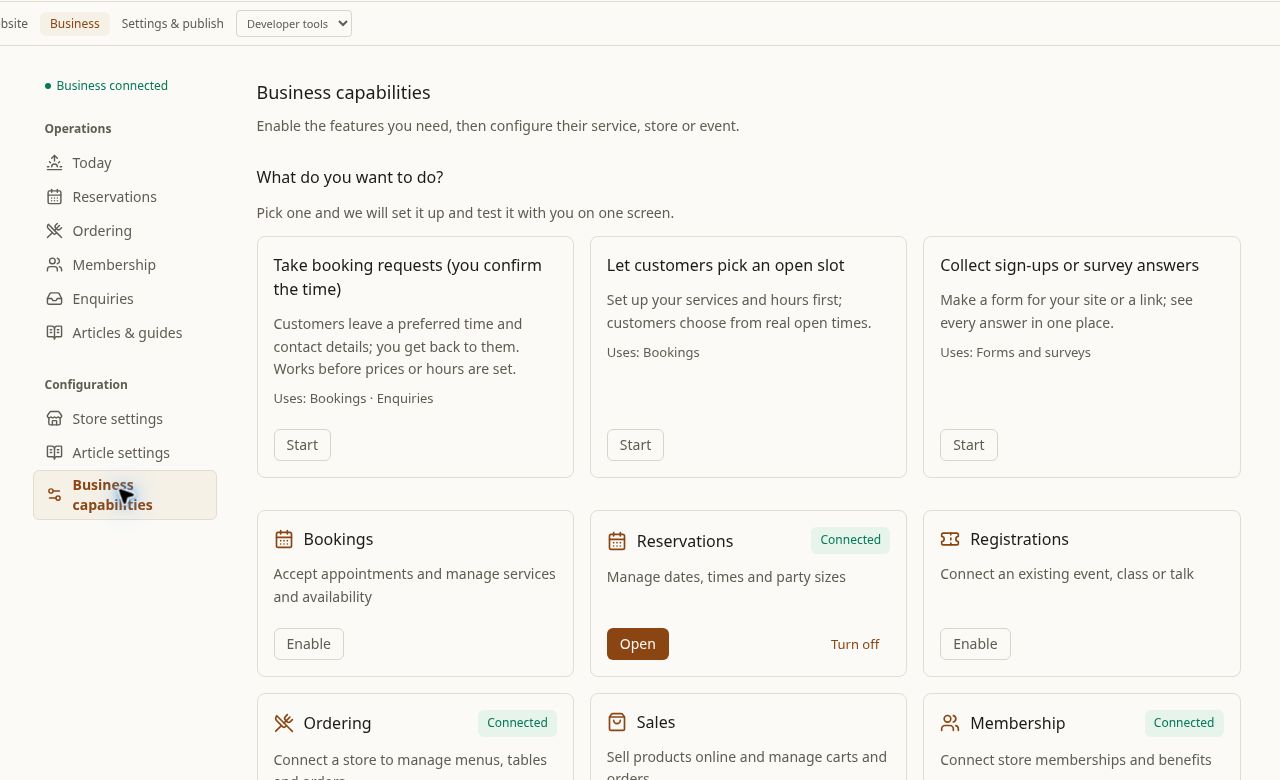
One workspace, more ways to serve
Running a business means looking after more than one kind of customer interaction. A café may need to handle tables and orders. A salon may need to take appointment requests. A workshop may need to connect people with classes or talks. Infoholder brings these kinds of activities together in a business management workspace, so you can choose the capabilities that fit your operation.
That does not mean every capability is automatically active or visible to customers. You’ll need to select what your business needs, configure its details, add the relevant customer-facing section to your site and test the complete journey.
Capabilities for different parts of the business
Appointments and reservations. Offer appointment requests where customers share a preferred time and contact details, then you confirm manually. This option can work before service prices and opening hours are configured. Or, configure services and opening hours to offer real available time slots. For a café, table reservations can collect a date, time and party size. For a salon, appointments can help organize service requests around the way you choose to manage availability.
Events, classes and talks. Registration can connect customers with existing events, classes or talks. A workshop could use it to present an upcoming class and gather registrations, provided the event is configured and the registration section is available on the site.
Restaurant ordering and sales. Restaurant ordering connects a store with menus, tables and orders. Sales supports products, a cart and orders. A café template with Home, Menu and Visit pages supports pickup preorders and table booking. Online payment requires separate setup, and store workflows need to be connected and configured. The workspace details do not establish that every payment, stock, shipping, refund or subscription workflow is available, so check the setup that applies to your business before making promises to customers.
Membership and customer benefits. Membership connects store members and benefits. In the café template, email membership verification and configured points or coupons are supported. Set up the relevant store and benefits before describing a membership offer; the feature’s presence alone does not define what customers receive.
Forms, research and support. Contact forms and business enquiries can gather incoming questions, while surveys can collect research responses. AI can help draft questions. You can embed a form or share a link, with submissions gathered together. Online customer support provides a reception window on the website: AI can handle the first reception, and a person can take over where that option is configured.
Build it with Infoholder Studio
Start from a sentence and get a website where customers can book, order or contact you — in minutes.